
Download GButts – All Google Services in One Click, Free Firefox Extension
Overview
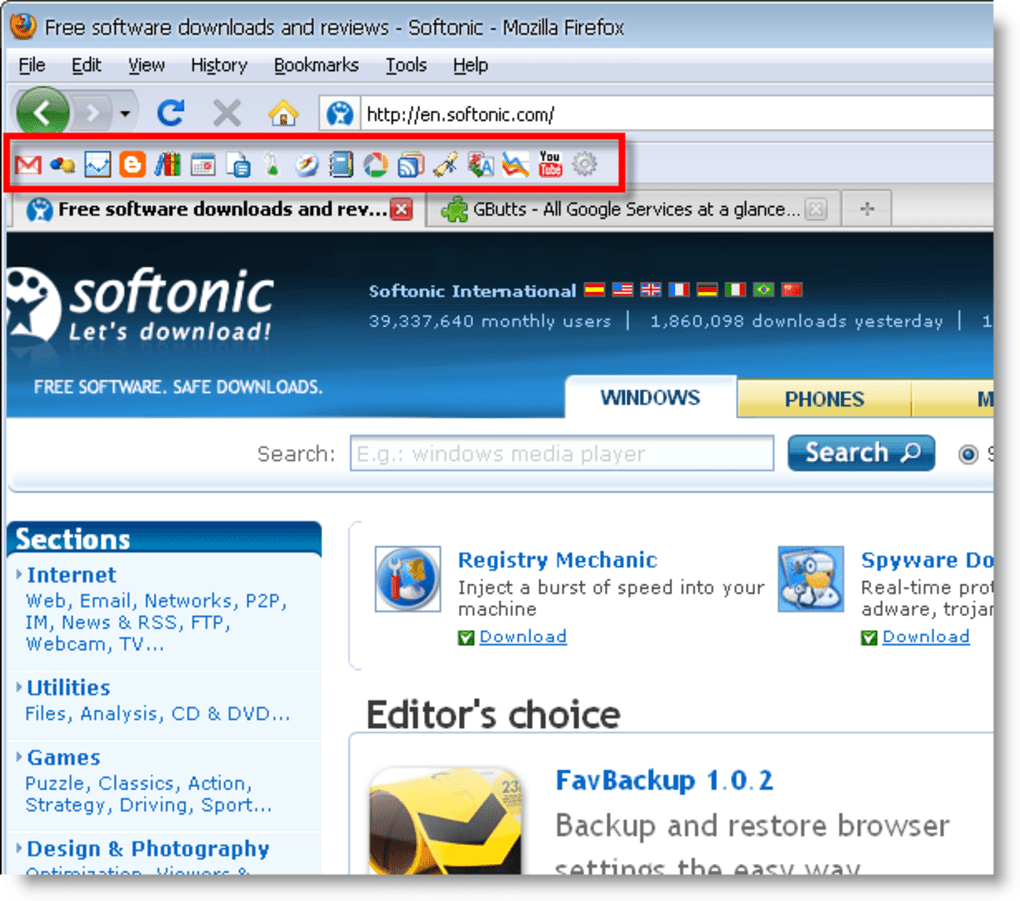
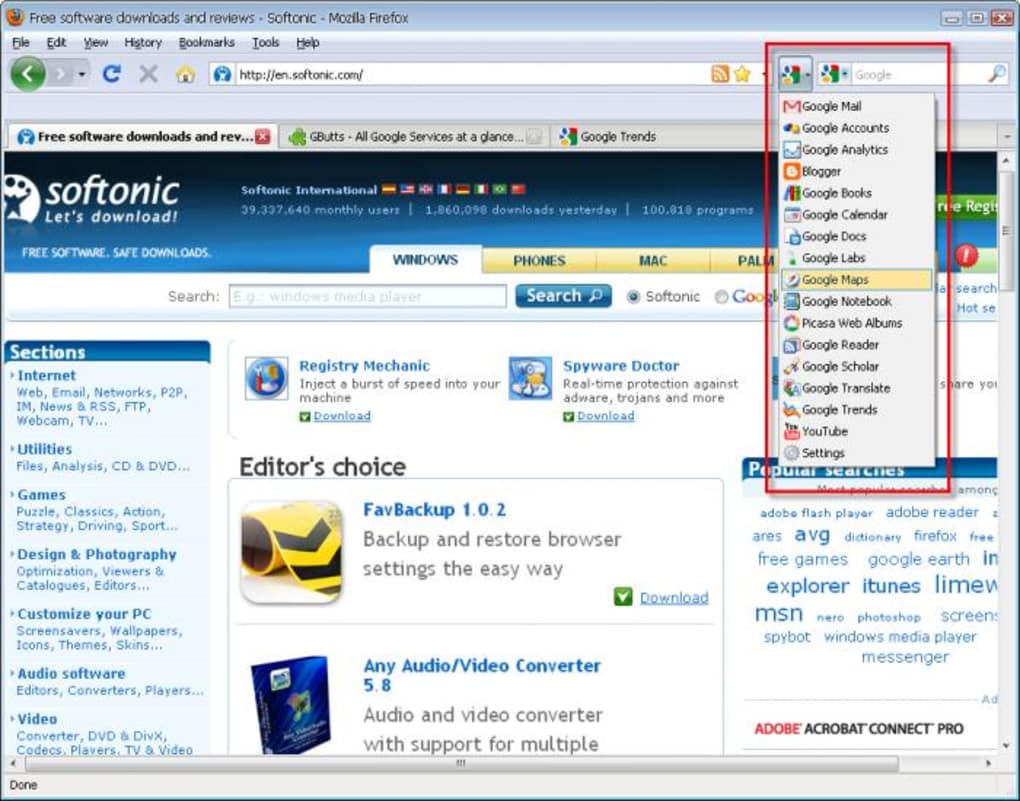
GButts is a lightweight Firefox add‑on that gathers every major Google service into a single, easily accessible toolbar or drop‑down menu. Whether you spend your day drafting emails in Gmail, scheduling meetings on Calendar, writing documents in Docs, or analyzing traffic in Analytics, GButts lets you jump to the exact tool you need with just one click. The extension is fully customizable: you decide which services appear, how they are grouped, and whether they open in new tabs or the current window.
While it does not support sorting of individual buttons, the intuitive configuration panel located under Tools → Add‑ons makes it simple to add or remove shortcuts on the fly. GButts also works on all major operating systems that run Firefox, so Windows, macOS, and Linux users can enjoy the same streamlined experience. The add‑on is free, regularly updated, and designed with security in mind—no external scripts are injected, and all links point directly to Google’s official URLs.
If you’ve ever felt frustrated juggling dozens of tabs just to reach a Google app, GButts offers a clean, single‑click solution that saves time and reduces browser clutter.
Key Features
- One‑click access to the full suite of Google services, including Gmail, Calendar, Docs, Sheets, Slides, Drive, YouTube, Blogger, and more.
- Customizable toolbar or drop‑down menu layout to fit any screen size or personal preference.
- Simple configuration panel in Tools → Add‑ons for adding, removing, or reordering shortcuts.
- Option to open services in a new tab, the current tab, or a background tab.
- Supports Windows, macOS, and Linux platforms through the Firefox browser.
- Free and open‑source, with regular updates to keep up with new Google products.
- Secure links that point directly to Google’s official domains, protecting your data.
- Lightweight codebase that does not noticeably affect browser performance.
- Developer contact built‑in for feature requests or bug reports.
Installation & Usage Instructions
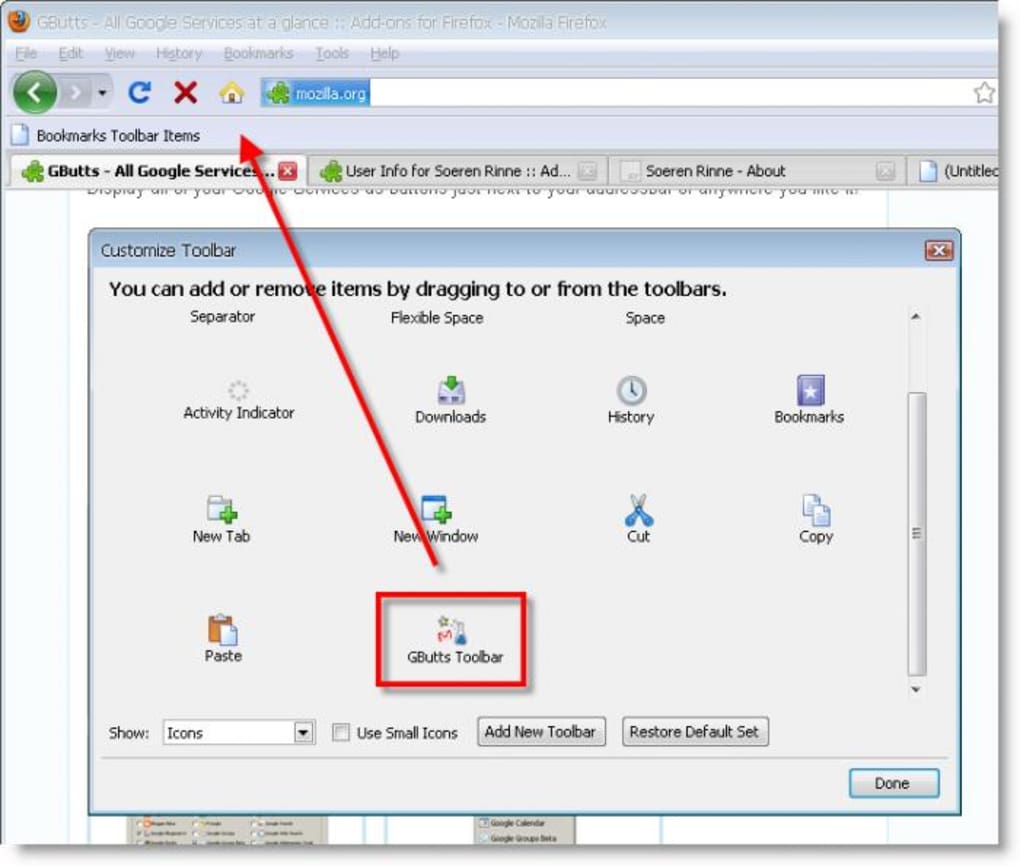
Installing GButts is as straightforward as any other Firefox extension. Start by opening the Firefox Add‑Ons Manager (you can press Ctrl+Shift+A on Windows/Linux or Cmd+Shift+A on macOS). Search for “GButts”, click the Add to Firefox button, and confirm any permission prompts. Once the extension is installed, you’ll see a small icon appear in your toolbar. If the toolbar does not appear immediately, go to View → Toolbars → Customize and drag the GButts toolbar onto the Firefox interface.
To configure which Google services you want quick access to, navigate to Tools → Add‑ons → Extensions → GButts → Preferences. Here you’ll find a checklist of supported services. Tick the boxes for the tools you use most frequently and choose your preferred layout: a permanent toolbar for instant visibility or a compact drop‑down menu that saves space. You can also set the default opening behavior (new tab, current tab, or background). After saving your changes, the new shortcuts appear instantly.
Using GButts in daily workflow is intuitive. Simply click the toolbar button or open the drop‑down menu, then select the Google service you need. The extension will open the service in the mode you selected during setup. If you ever need to add a newer Google product that isn’t listed, you can contact the developer directly from the preferences page; updates are frequently rolled out based on community feedback.
Compatibility, Pros & Cons
GButts runs on any operating system that supports the latest version of Firefox, including Windows 10/11, macOS Monterey and later, and popular Linux distributions such as Ubuntu, Fedora, and Debian. Because it is a browser extension, there is no separate installation for Android or iOS; however, Firefox mobile users can benefit from a similar experience through the desktop‑synchronised toolbar when using Firefox Sync.
Pros
- Instant access to a comprehensive list of Google tools without leaving the browser.
- Highly customizable layout to suit personal workflow preferences.
- Free, open‑source, and regularly maintained by the developer community.
- Lightweight and does not impact Firefox’s performance or startup time.
- Secure direct links to Google’s official domains, reducing privacy concerns.
Cons
- No built‑in sorting feature for individual service buttons; order is fixed.
- Missing some niche Google services (e.g., Google InSights) until future updates.
- Toolbar can take up valuable space on smaller screens if not switched to drop‑down mode.
- Requires Firefox; not available for Chrome, Edge, or other browsers.
Frequently Asked Questions
Is GButts completely free?
Yes, GButts is offered at no cost. The developer provides it as a free, open‑source Firefox extension with optional donations for support.
Can I use GButts on a Mac?
Absolutely. As long as you have Firefox installed on macOS, GButts works the same way as on Windows or Linux.
How do I add a Google service that isn’t listed?
Open the GButts preferences panel, scroll to the bottom, and use the “Contact Developer” link to request the missing service. Updates are frequently released based on user feedback.
Will GButts slow down my browser?
No. The extension is lightweight and designed to have a negligible impact on Firefox’s performance. Users report no noticeable slow‑downs after installation.
Is my data safe when using GButts?
Yes. GButts only creates direct links to Google’s official URLs and does not collect or store personal data. All communication remains within your browser.
Conclusion – Boost Your Productivity with GButts
If you rely on multiple Google tools throughout the day, GButts offers a fast, secure, and free way to bring them together under a single Firefox toolbar or drop‑down menu. Its simple configuration, cross‑platform compatibility, and lightweight design make it an essential productivity add‑on for power users and casual browsers alike. Install GButts today, customize your shortcuts, and experience a cleaner, more efficient workflow—no more endless tab hunting, just one click to the service you need.
Ready to streamline your Google workflow? Download GButts now and start accessing all your favorite Google services instantly.
GButts delivers exactly what its description promises—a quick, customizable gateway to Google’s ecosystem right from Firefox. While it lacks button sorting, the drop‑down layout and straightforward settings make up for it. For anyone juggling Gmail, Docs, Drive, and YouTube, this extension is a time‑saver worth installing.
Pros:







